voip4calls
English
Google Play
Work · Ready

Your VoIP number, ringing like a mobile call.

voip4calls puts the VoIP number you already have on your Android phone and makes it behave like the phone's own line.

No account needed · no ads · no analytics · your contacts stay on your phone

Encrypted Rings when locked
Favourites: five people with their photos, on the line Work, which is Ready.
An incoming call from Amara Okafor to the line Work, with her photo, Decline and Answer.

The connection is the app's problem

Walk out of Wi-Fi. Keep talking.

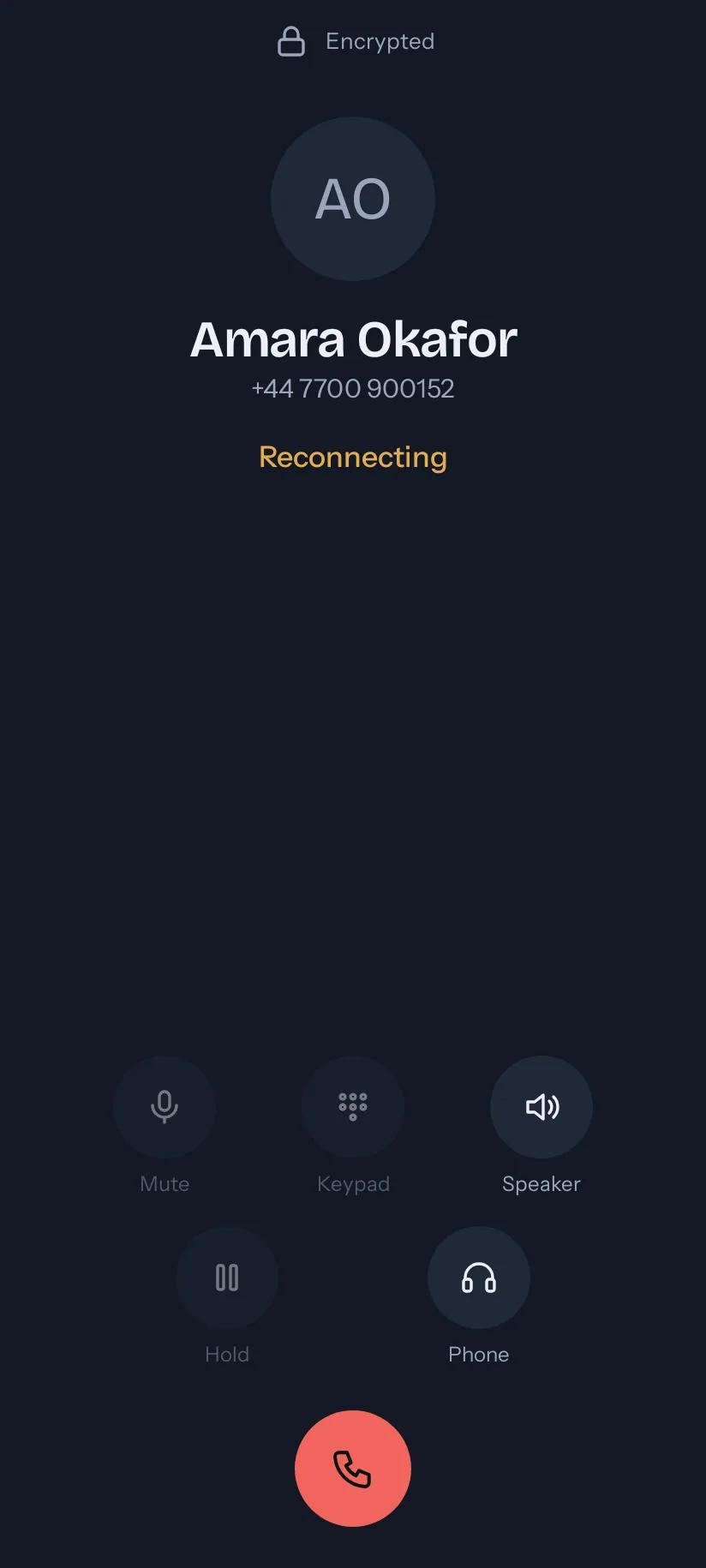
  • Walk from Wi-Fi to mobile data mid-call and the call carries on.
  • Lose the network for up to 30 seconds and the call waits, then comes back.
  • Lines reconnect by themselves after a restart or a lost network.
A call with Amara Okafor that says Reconnecting, with the button to end the call in reach.

The tour

Every screen starts a call, takes a call or is in one.

Call a number, or a contact with their photo, number and line in view, keep talking when you walk out of Wi-Fi, and take calls the way you take mobile calls.

Bring your own line

Three details from your provider, or one scan.

No proxies, transports or codecs to choose before your first call.

  • Add a line with the three details your provider gave you: user name, password and the provider's address. Or scan your provider's code.
  • Several lines, one default for calls out. Each says whether it is Ready, Connecting or Not connected, and why.
  • Works with ordinary SIP providers and company phone systems. The app finds the technical settings itself.
Add a line: user name, password and the provider's address, or scan a code from your provider.
Your line is ready: calls to it ring on this phone, and your calls leave from it.

Calls that behave like phone calls

It rings with Android's own call screen.

Nothing has to be learned: a call to your line looks and behaves like a mobile call.

  • A call to your line rings with Android's own call screen, with the app open, closed or the phone locked.
  • Bluetooth headsets, wired headsets, your car and Do Not Disturb work as they do for a mobile call.
  • Mute, speaker, hold, keypad tones, and the choice of where the sound goes.
  • Recents with missed calls, and Call back in one tap.
An encrypted call with Amara Okafor at one minute five, with Mute, Keypad, Speaker, Hold and Phone.
Recents: incoming, outgoing, declined and missed calls, each with a button to call back.

Your contacts, as they are

See the number and the line before you call.

You never edit a contact to make it dial.

  • Favourites first: the people you call most, with their photos. Star someone and they are a favourite in your phone's own contacts too.
  • Tap anyone to see the number and the line before you call; Call when it is right. Recents keeps a one-tap call back.
  • Call anyone however the number was saved: the app works out the full number from your home country.
  • Dialling rules for each line, for providers that want a prefix or a local format.
Ben Whitfield's sheet: Work or Mobile, each with its full number and how it was saved, the line to call from, and Call.
Contacts with search, photos and stars, on the line Work, which is Ready.

Private by default

The call screen says when a call is not encrypted.

Your calls go between your phone and your provider, and nowhere else.

  • Calls are encrypted wherever your provider allows it, and the call screen says when one is not.
  • No account, no ads, no analytics, and no server of ours: your calls go between your phone and your provider.
  • Crash reports, and a count of app starts to measure them against, go to Firebase Crashlytics. Nothing else is sent.
  • Your contacts never leave your phone. Passwords are kept in the phone's secure storage.
  • Emergency numbers always open your phone's own dialler.
A call with Amara Okafor marked Not encrypted at the top of the call screen.

Compare

A VoIP number you would give to a client.

A VoIP number is cheaper and more flexible than a mobile number, and usually worse to live with. This is what changes.

The phone's own diallerTypical VoIP appsMessaging-app callsvoip4calls
Calls any phone number YesYesNo, only people on the same appYes
Uses your VoIP number NoYesNoYes
Rings when the phone is idle YesOften notYesYes
Call survives Wi-Fi to mobile data Not applicableRarelyUsuallyYes
Contacts dial correctly as saved YesOften notYesYes
Setup NoneMany technical fieldsA phone numberThree fields or one scan

Questions

Before you install it.

Do I need an account?

No. Add a line and call. Signing in with Google is optional, and it only keeps your lines on your other phones, encrypted so that only your phones can read them.

Which providers does it work with?

Ordinary SIP providers and company phone systems. You need the user name, the password and the address your provider gave you, or its code to scan. The app finds the technical settings itself.

Will a call ring when my phone is locked or in my pocket?

Yes. The app keeps its connection to your provider open in the background, and a call rings with Android's own call screen. Where a phone maker stops background apps, the app shows you the one setting to change.

What happens when I leave Wi-Fi during a call?

The call carries on over mobile data. If the network is lost altogether, the call waits for up to 30 seconds and comes back by itself.

What does voip4calls send about me?

A crash report if the app crashes, and a count of app starts to measure crashes against, to Firebase Crashlytics. Nothing else, unless you choose to sign in. Your contacts never leave your phone. The privacy statement lists every item.

What about emergency calls?

Emergency numbers always open your phone's own dialler.

Which phones and languages?

Android 10 or later. The app is in British English, French, German, Spanish, Afrikaans and Hindi, in light and dark.

Put your VoIP number on your phone.

Three details from your provider and the line is ready. Questions go to [email protected].

Get it on Google Play